

Home automation helps you save time, boost security, and cut energy use by automating daily routines and monitoring devices from anywhere. Start small with a simple morning routine and a few sensors, then expand only after you see real gains. Pick a core platform that fits your devices and supports local control for reliability. Prioritize strong security — unique passwords, MFA, and updated firmware. Curious how to optimize further? There’s more to access beyond this baseline.
Key Takeaways
- Start with a simple morning routine: automate lights, thermostat, coffee maker, and blinds for quicker adoption and tangible benefits.
- Choose a core platform with strong compatibility, local control options, and solid security to future-proof your setup.
- Secure your network: use WPA3, separate IoT networks, strong passwords, and regular firmware updates for all devices.
- Optimize reliability: map coverage, minimize interference, and rely on wired backbones for critical devices like locks and cameras.
- Plan for growth: use modular devices, scalable hubs, and standards-based gear to expand without reconfiguring your system.
What Home Automation Can Do for Your Family

Home automation can make your family safer, simpler, and more connected. You gain peace of mind when systems respond to routine and emergencies without delay.
With smart appliances, you automate daily tasks so you spend less time managing chores and more time with loved ones.
You’ll notice safer entry with smart locks and cameras that alert you to unusual activity.
Energy monitoring helps you see consumption in real time, revealing waste and guiding smarter choices.
You can schedule lights and climate to fit your routines, reducing energy use while maintaining comfort.
Central alerts, remote control, and voice shortcuts streamline routines, so you feel more in control.
Practical automation becomes a reliable partner for everyday safety, convenience, and efficiency.
Pick Your Core Smart-Home Platform
Choosing your core smart-home platform sets the foundation for seamless control, reliable updates, and future-proof compatibility. You want a system that scales with your needs, not a collection of isolated apps.
Start by evaluating broader ecosystems that support popular devices, voice assistants, and hub functionality. Prioritize strong device integration, ensuring common standards and smooth firmware updates across brands.
Consider how well the platform handles local control versus cloud dependence, and its security track record. Look for a robust developer ecosystem, clear performance benchmarks, and reliable customer support.
Remember, your choice dictates future upgrades, automations, and interoperability. Balance practical needs with aesthetic polish, so the interface feels natural.
Finally, confirm you can tailor experiences through user customization without sacrificing reliability or speed.
Start With a Daily Routine You Can Use Today
Now that you’ve chosen a core platform, you can start small with routines that prove their value right away. Start with a simple morning routine: lights at a wake time, thermostat easing to comfort, a quick coffee-maker trigger, and blinds opening. This shows immediate payoff without complexity.
Next, layer in chore automation: schedule the vacuum to run while you’re away or a daily dishwasher reset to guarantee clean loads. Keep triggers straightforward—time-based or sensor-driven—and avoid overloading with niche events. Test and adjust for reliability, not novelty.
Document a minimal rollout: one morning routine, one chore-automation task, and a quick check-in on energy use. Stay disciplined; expand only when you see steady gains in convenience, cost reduction, and daily rhythm.
Prioritize Security in Your Setup
Lock down your network first with secure practices, like strong Wi‑Fi encryption and a segmented smart-home network.
Use strong authentication methods—long passwords, multi-factor options, and unique credentials for each device—to block intruders.
Stay on top of updates, applying software patches promptly to keep every gadget’s defenses current and reliable.
Secure Network Practices
To secure your smart home, start with a solid network foundation: use a strong, unique password for your Wi‑Fi, enable WPA3 if available, and disable WPS. You’ll lock out casual intruders and reduce risk from weak credentials.
Next, enable encryption protocols beyond basic protection, so data stays unreadable even if intercepted.
Implement network segmentation: place IoT devices on a separate guest or VLAN, isolating cameras, sensors, and hubs from your main workstation and personal devices.
Regular firmware updates and automated security alerts keep you ahead of threats.
Disable unnecessary ports, and monitor device activity for anomalies.
Keep a simple, documented diagram of your topology for quick audits.
With disciplined practices, your home network becomes a durable, resilient backbone for trusted automation.
Strong Authentication Methods
Strong authentication isn’t optional in a smart home—it’s the frontline defense you rely on daily. You guard access with decisive methods that deter intruders and protect your automation setup.
Biometric security offers quick, unique verification, reducing friction while maintaining rigor. Pair it with multi factor authentication to add a separate barrier, so a single stolen credential won’t grant entry.
Choose reliable, hardware-backed options for sensitive devices and dashboards, and require reauthentication after periods of inactivity. Keep recovery codes secure and update backup methods as you swap devices.
Enforce strict session management, logging, and alerts for abnormal sign-ins. Practice layered defense: device-level, network-level, and cloud-level protections.
With strong authentication methods in place, your smart home stays vigilant and resilient.
Regular Software Updates
- Schedule regular update windows and verify completion
- Prioritize critical patches for gateways and hubs
- Keep backup copies before major upgrades
- Document versions and reboot consequences for devices
Budgeting for Smart-Home Upgrades
Begin with cost estimation for each upgrade, separating must-haves from nice-to-haves. This helps you prioritize without overspending.
Next, implement budget planning methods: assign a fixed monthly allowance, build in a contingency, and track progress against milestones.
Consider total cost of ownership, including installation and potential expanded capabilities over time.
Don’t confuse impulse buys with value; favor scalable options that grow with your needs.
Finally, document decisions, risks, and expected benefits to guide future investments.
A disciplined approach keeps upgrades purposeful, affordable, and aligned with your home’s long-term performance.
Choose Devices by Ecosystem Compatibility
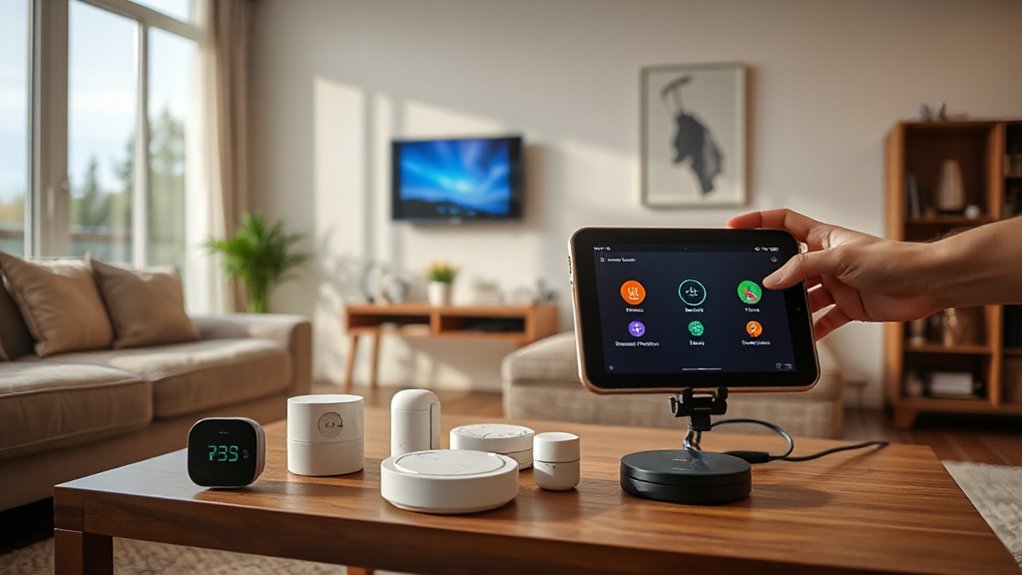
Choosing devices by ecosystem compatibility sets a solid foundation for reliable automation. Start by understanding ecosystem basics and how cross-platform pairing can expand or limit your options.
Prioritize products that natively support your chosen hub or assistant so setup stays simple and future-proof.
Ecosystem Compatibility Basics
To choose devices that play well together, start with ecosystem compatibility and pick products that share the same platform, standards, and cloud services. You’ll gain smoother automation, fewer conflicts, and faster updates through tight ecosystem integration.
Prioritize devices that advertise interoperability and supported hubs, then verify official compatibility lists before committing. Device compatibility isn’t magic—it’s a design choice that reduces setup friction and ongoing troubleshooting.
- Verify common cloud services and routines across devices
- Favor a single primary ecosystem for hubs, assistants, and apps
- Check official certification and compatibility guides
- Consider future-proofing with scalable, standards-based tech
Being deliberate here saves time, ensures reliability, and keeps your automations cohesive rather than cobbled together.
Cross-Platform Device Pairing
Look for documented interoperability features, such as common communication protocols and open APIs, which simplify setup and future updates. You’ll benefit from devices that support cross platform syncing, so routines and scenes operate reliably regardless of vendor.
Create a short list of must-have integrations—lighting, climate, security, and audio—then verify supported ecosystems before purchase.
Avoid overcomplicating your network with niche protocols that trap you in a single ecosystem. Favor products with clear firmware update paths and robust community support.
In practice, this approach reduces friction and enhances device interoperability across your smart home.
Smart Lighting That Saves Energy
- Choose LEDs with high lumens-per-watt and long life
- Pair dimmers with occupancy sensors for automatic adjustments
- Create lighting scenes that fit activities and moods
- Centralize control via a simple app for seamless automation
Automating Climate and Energy Use
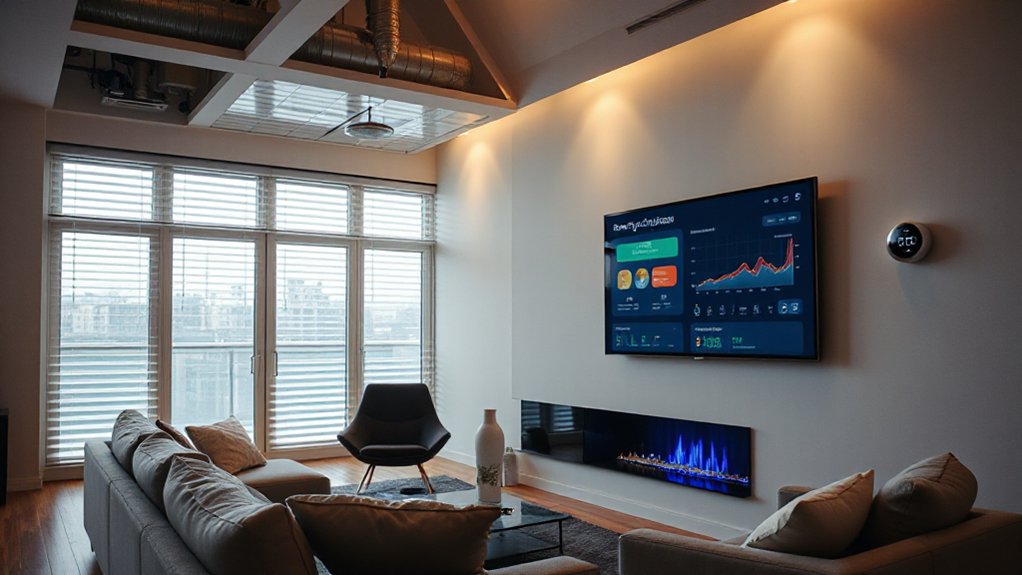
Use energy conservation strategies like staging heating and cooling, improving humidity control, and leveraging premium zoning to avoid overconditioning unused spaces. Integrate smart vents, sensors, and dashboards so you can audit consumption, spot anomalies, and fine-tune settings without micromanaging.
Prioritize climate control that respects comfort thresholds while slashing idle heat loss and drafty zones. This practical mix delivers predictable bills, faster ROI, and a calmer, greener home environment.
Smart Locks and Access Management
- Centralize entry permissions and audit trails
- Set temporary codes or guest links for visitors
- Auto-lock, alert on tampering, and remote release options
- Integrate with routines and other smart devices for security
Choose robust hardware, including tamper-resistant screws and encrypted communication. Regularly review access logs to detect anomalies and revoke outdated permissions. Prioritize user-friendly setup, clear firmware updates, and reliable customer support.
Protect Privacy Without Sacrificing Convenience
Balancing privacy with convenience means you can enjoy smart home benefits without oversharing data. To protect yourself, choose devices that support robust data encryption and frequent security updates. Enable end-to-end or at least device-to-cloud encryption, and verify that keys aren’t stored insecurely.
Review privacy policies before you connect new gear; look for data minimization, predictable collection, and clear deletion rights.
Practice network hygiene: separate smart-home devices on a dedicated guest network, disable unnecessary services, and regularly update firmware. Use strong, unique passwords and multi-factor authentication where available.
Limit data-sharing by opting out of analytics when possible, and periodically audit connected apps for permission scopes.
Prioritize vendors with transparent privacy commitments, and document your settings for quick revalidation. Data encryption and Privacy policies should be your baseline.
Voice Assistants: What Each Does Best
Each voice assistant excels in different ways, so you’ll choose based on your daily routines and tech ecosystem. I’ll cover their core strengths, how to guarantee ecosystem compatibility, and practical, real‑world uses you can start today.
Think of this as a quick guide to match the right assistant to the tasks you care about most.
Voice Assistant Strengths
Voice assistants each shine in different areas, so you’ll want to match a model to the task at hand. Your choice hinges on strengths you’ll rely on daily, from quick commands to complex routines, all powered by solid speech recognition.
- Voice assistant efficiency: fast device control with reliable wake words
- Music and media: accurate playback, volume, and playlist management
- Scheduling and reminders: calendar hooks, timers, and routines
- Smart home control: seamless lighting, climate, and scenes without lag
With the right pick, you gain crisp responses, fewer misunderstandings, and smoother automation flows. Prioritize models that excel in speech recognition, then validate real-world accuracy in your home environment.
This guarantees consistent, frustration-free interactions that keep your day running on time and under control.
Ecosystem Compatibility Tips
To guarantee smooth, reliable automation, prioritize ecosystem compatibility: pick a voice assistant that plays well with your existing devices, platforms, and apps. You’ll reduce friction by targeting native integrations over third-party hacks, and you’ll save time diagnosing issues later.
Focus on ecosystem integration upfront—check which hubs, cameras, lights, and sensors officially support your chosen assistant. Be aware of compatibility challenges: some platforms lack motion-sensor triggers, while others throttle routines across brands.
Consider update cadences and security schemas, as these affect long-term reliability. Document your primary workflows, then verify them in a small, controlled setup before expanding.
A deliberate, disciplined approach prevents surprises, keeps routines predictable, and guarantees your voice assistant truly complements your smart home rather than complicating it.
Practical Daily Scenarios
Smart home routines aren’t just a wishlist—they’re daily tools you rely on. In practical daily scenarios, voice assistants excel at quick, precise, hands-free control that keeps you efficient and focused. You’ll leverage each assistant’s strongest suit to simplify routines, save time, and reduce friction in your day.
- garden irrigation: schedule smart watering windows and adjust for weather without lifting a finger
- household chores: start vacuuming, adjust lighting, or set timers with a single command
- energy management: monitor power use, switch devices off when away, and optimize comfort
- reminders and shopping: add items, reorder essentials, and sync calendars for seamless routines
Choose the assistant that aligns with your home layout, and you’ll experience consistently smoother daily life.
Home Automation for Safety and Monitoring
Want to keep your home safer with less effort? Modern safety-and-monitoring systems let you act fast without constant checks. Start with integrated cameras and motion sensors that quietly notify you on suspicious activity or unexpected movement.
Smart doorbells confirm who’s at the door, while door and window sensors alert you to openings. For family protection, prioritize child safety by configuring zone alerts, app restrictions, and safe-height cameras.
Emergency alerts sync with your phone and outdoor sirens, so responders get accurate location data instantly. Use routines to arm in the evening and disarm on arrival, reducing forgetfulness.
Guarantee your setup supports reliable backups and clear data logs for quick review after events. Keep interfaces simple, actionable, and consistently tested.
Wireless Network Essentials for Reliability
To keep your home automation resilient, you’ll want solid Network Topology Basics and intelligent Signal Strength Optimization guiding every device.
Start by choosing a topology that minimizes hops and latency, and place repeaters or access points where signal shadows are minimized.
Regularly test coverage in key rooms and tune channels to reduce interference for reliable performance.
Network Topology Basics
A solid wireless network backbone starts with a clear topology that aligns with your home’s layout and device needs; this foundation makes reliability, speed, and coverage predictable. You’ll design a topology that matches traffic patterns, prioritizing essential smart devices and latency-sensitive apps.
Key ideas: centralize control, minimize hops, and segment for security and performance.
- Use mesh networks to extend coverage without dead zones and simplify management.
- Implement network segmentation to limit device access and contain issues.
- Favor a hub-and-spoke or hybrid layout for predictable paths and easy troubleshooting.
- Reserve dedicated backhaul links for gateway devices to maintain steady throughput.
This approach stays practical, authoritative, and stylish, empowering you to deploy a resilient, scalable home network.
Signal Strength Optimization
With a solid network topology in place, you can focus on squeeze-free signal strength to keep smart devices responsive. To optimize, map coverage areas and identify weak spots where walls or appliances degrade the signal.
Position routers and signal repeaters strategically, avoiding dead zones behind furniture or near microwaves. Prioritize channels and bands that minimize Wi Fi interference; running a quick survey helps you pick the cleanest path for each device.
Enable band steering or guest networks only when needed to reduce congestion. Update firmware for reliability, and consider a mesh approach if your home spans multiple floors.
Test after changes, confirming that critical devices—locks, cameras, thermostats—maintain stable connections.
Consistent signal quality equals faster responses and smarter automation.
Scalable Upgrades for Growing Homes
As your home grows, so should your automation system—expand thoughtfully to keep performance smooth and upgrades affordable. Scalable upgrades fit growing homes by layering solutions that expand with you, not disrupt existing habits. When planning, anchor on a flexible hub, robust networking, and wired foundations for reliability during home expansion.
Prioritize modular devices that can be added without rewiring, and choose standards with broad device compatibility. Regularly assess bandwidth needs and energy usage to prevent bottlenecks.
- Start with a central, future-ready hub and strong Wi‑Fi coverage
- Use wired backbone for critical rooms and security devices
- Add locally controllable modules before full-system overhauls
- Schedule periodic audits to align with evolving routines
Common Pitfalls to Avoid in Home Automation
Home automation promises convenience, but common missteps can erode the gains you’ve built. You’ll sidestep trouble by planning before buying, clarifying goals like energy savings or security, and resisting gadget enthusiasm that sounds flashy but isn’t useful.
Automation myths tempt you into overengineering, assuming every task must be automated; often, simple routines suffice and stay reliable.
Prioritize device durability over glossy specs, choosing products with solid update policies and robust interoperability rather than one-off features.
Keep a documented network map, segregate smart devices from critical systems, and enforce strong passwords.
Don’t skip firmware updates, and test automations regularly to prevent cascading failures.
Finally, avoid vendor lock-in by favoring standards-based devices, so upgrades stay painless and future-proof.
Build Your Personal Roadmap: Next Steps
To build a solid personal roadmap, start by defining clear outcomes—whether you want lower energy bills, stronger home security, or easier daily routines—and map them to achievable milestones over 30, 60, and 90 days.
- Define your Personal budget and allocate funds for devices, hubs, and services.
- Identify customization options to tailor routines and scenes to your daily life.
- Select a few high-impact features first to validate value quickly.
- Set measurable checkpoints and review progress weekly to stay aligned.
With clarity on goals and budgets, you’ll gain momentum and avoid scope creep. Your roadmap should remain flexible, allowing swaps of devices or ecosystems as needs evolve, while preserving focus on practical outcomes and delightful automation experiences.
Frequently Asked Questions
How Long Does It Take to Install a Basic System?
A basic system installs in about a day or two, depending on your home’s complexity, and you’ll notice energy efficiency gains and greater user convenience as you integrate smart devices and configure routines.
Can I Integrate Smart Devices With My Existing Router?
Sure—yes, you can integrate smart devices with your existing router. Coincidence signals it: wireless compatibility aligns with your network, while device interoperability guarantees smooth control. You’ll optimize security and performance, and your setup stays authoritative, stylish, and practical.
Do Routines Work During Power Outages or Internet Loss?
Routines generally stop during power outages or internet loss, but some devices offer battery backup and offline functionality. You’ll keep essential automations running locally, while cloud-dependent actions pause until connectivity returns. Plan with offline-capable routines and battery backup.
What’s the Typical Return on Investment for Upgrades?
Could you expect solid gains? Upgrading yields a typical ROI of 10–30% depending on scope, with Energy savings and resale value rising as efficiency and smart features compound over time. You’ll see better performance, lasting value, practical appeal.
How Secure Are Smart Devices Against Hacking Threats?
Smart devices are fairly secure if you enable device encryption and implement strong passwords; stay current with updates, segment networks, and use two-factor authentication. This provides hacking prevention and reduces vulnerability while you maintain practical, stylish control and confidence.
Conclusion
You now know what smart home can do for your family, and you’ve got a practical plan to start. Pick a core platform, build a daily routine, and shore up security—then layer on upgrades as your life grows. Budget smartly, keep your network reliable, and avoid overreach. Build your roadmap with clear milestones, and stay flexible. The future is efficient and secure when you stay intentional—just don’t let your toaster outsmart your front door, in true 80s-voodoo fashion.