

The best smart thermostats for 2026 balance HVAC compatibility, updatable firmware, and strong energy insights. Prioritize models with open standards, local/cloud control, and reliable scheduling that adapts to your routines. Make certain you can wire a C-wire, support heat pump setups, and integrate with your preferred voice assistants. Look for occupancy sensing, humidity control, and clear energy reports. Budget for $100–$250, with ROI boosted by rebates and multi‑zone capability. Ready to optimize your setup? You’ll learn more as you continue.
Key Takeaways
- Compare models offering compatibility with HVAC type, Wi-Fi, smartphones, and open standards for future-proofing and ease of integration.
- Prioritize thermostats with adaptive scheduling, occupancy sensing, energy reports, and support for heat pumps and multi-zone systems.
- Verify wiring requirements, especially the presence of a C-wire, proper transformer voltage, and clear wiring schematics before installation.
- Focus on robust security with secure boot, encrypted storage, frequent firmware updates, and transparent privacy controls.
- Budget around $100–$250, consider rebates, ROI based on energy rates, insulation, and duct efficiency, plus installer-friendly setup and reliability.
How to Pick a Smart Thermostat for 2026

Choosing a smart thermostat in 2026 hinges on how well it fits your home, budget, and daily routine. You should assess compatibility with your HVAC system, Wi‑Fi reliability, and app usability before purchasing.
Prioritize models that support updatable firmware, secure encryption, and easy integration with existing smart home ecosystems. Look for flexible scheduling, adaptive learning, and occupancy sensing to maximize energy efficiency.
Consider thermostat energy reports and automatic setback features that align with your routines. Evaluate energy efficiency claims against independent metrics and guarantee your utility offers compatible demand-response programs.
A smart thermostat that communicates with the grid enhances demand management for the Smart grid and reduces operating costs.
Balance upfront cost with long‑term savings and maintenance needs to optimize total value.
2026’s Top Smart Thermostats at a Glance
Here’s a concise snapshot of 6 top smart thermostats you should consider in 2026, each evaluated for compatibility, energy reporting, and ecosystem integration.
In a Smart home context, these models deliver precise climate control, reliable scheduling, and robust data transparency. The latest picks emphasize open standards, helping you avoid vendor lock-in while preserving energy reporting you can trust for rebates.
Expect strong compatibility with popular hubs, voice assistants, and home assistants, plus clear daily usage insights. Each unit prioritizes straightforward setup, efficient heat pump support, and scene-based control that harmonizes with your routines.
If you value accurate climate control, long-term energy visibility, and future-proof integrations, these 6 stand out as pragmatic, enterprise-grade options for modern homes.
Platform, Ecosystem, and Compatibility You Should Care About
When you pick a thermostat, you’re also choosing a platform and ecosystem, so consider how the Platform Compatibility Matrix aligns with your devices and services.
You’ll want to evaluate how ecosystems interconnect, from voice assistants to smart home hubs, and what that means for future upgrades.
Stay focused on compatibility, openness, and real-world interoperability to avoid lock-in and guarantee long-term value.
Platform Compatibility Matrix
Platform compatibility is the backbone of a smart thermostat strategy, linking devices, ecosystems, and apps into a seamless user experience. In this matrix, you’ll assess platforms, ecosystems, and compatibility across manufacturers, protocols, and app environments.
Focus on core interoperability: cloud and local control, voice assistants, and mobile UI consistency. Climate control performance hinges on reliable data exchange, firmware compatibility, and update cadence, so map supported HVAC types, zoning capabilities, and sensor integration.
Consider platform-induced latency, app design coherence, and access to advanced features like adaptive scheduling and energy insights. For installers and operators, prioritize partner certifications, API stability, and support for over-the-air updates.
You want a predictable experience that honors user interface expectations and avoids feature silos, ensuring smooth setup, monitoring, and long-term maintenance.
Ecosystem Connectivity Considerations
Ecosystem connectivity is the backbone of a reliable smart thermostat strategy: it defines how platforms, ecosystems, and devices interoperate to deliver a seamless user experience.
You should prioritize compatibility across hubs, voice assistants, and smart home schedules to minimize friction. Ecosystem limitations can constrain feature access, update cadence, and device pairing, so verify official support timelines before committing.
Connectivity disruptions—caused by router DNS, mesh health, or firmware gaps—cost you automation reliability and comfort. A forward plan includes monitoring for outages, fallback routines, and vendor reliability, not just device specs.
- Platform breadth vs. depth trade-offs
- Vendor support timelines and update cadence
- Mesh network reliability and coverage
- Interoperability with third-party sensors and scenes
Essential Energy-Saving Features That Matter
Smart thermostats deliver real energy savings through clearly defined features that directly influence daily usage. You’ll see efficiencies driven by adaptive scheduling, optimized setback routines, and weather-aware control that reduces unnecessary heat and cooling.
Energy efficient algorithms analyze occupancy, local weather, and historical patterns to minimize runtime without sacrificing comfort. Look for device-aware setpoints that learn the typical home envelope and adjust gradually, avoiding abrupt swings.
The user interface should present clear, actionable data—showing real-time consumption, cooling and heating degrees, and projected monthly impact.
Focus on models with automatic humidity management and zoning capabilities to prevent overconditioning. In practical terms, these features translate into measurable utility bill reductions, faster return on investment, and simpler maintenance for ongoing energy efficiency.
Voice Control and Smart Assistant Integration
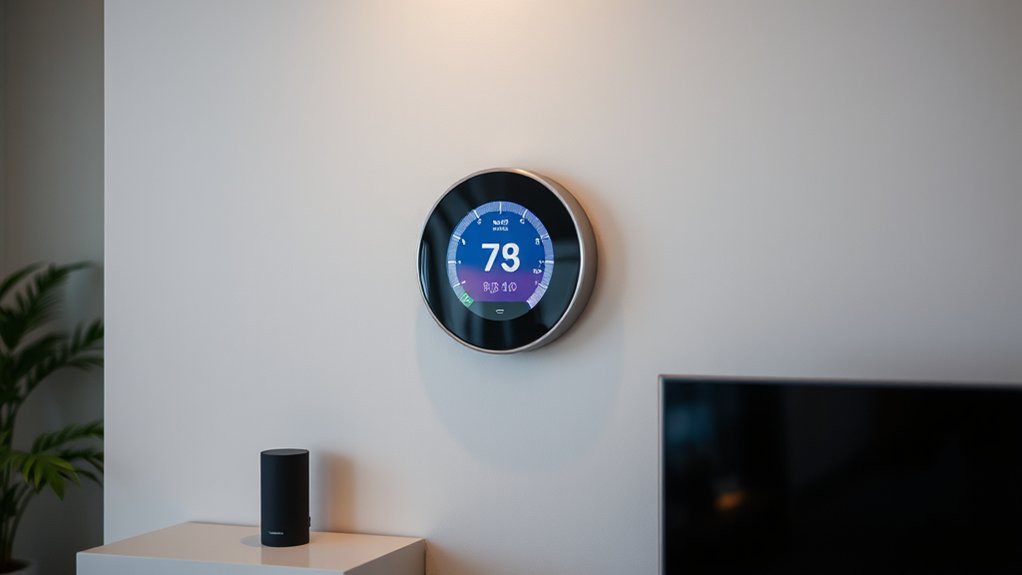
- Voice commands simplify daily adjustments
- Smart assistants enable cross-device routines
- Quick feedback on energy changes
- Secure, flexible ecosystem integration
Installation Essentials: Wiring, C-Wire, and Power Basics
Installing a thermostat starts with solid wiring basics: you’ll confirm your furnace or heat pump power, identify the main control board, and verify that the system has a common wire (C-wire) ready for a reliable power supply.
In practice, you’ll map present conductors, label each terminal, and confirm voltage compatibility to prevent powering issues. Guarantee the C-wire is continuous to the thermostat’s power input, not just an auxiliary line, to avoid flicker or resets.
Plan for a clean, accessible junction box and secure wire routing to minimize noise on the system. Consider wireless sensors and the user interface’s power demands, ensuring the thermostat’s display remains stable and responsive even as sensors communicate.
This foundation supports reliable performance and smooth commissioning.
Step-by-Step Installation for a Legacy System
With a legacy system, you’ll map your existing wiring and confirm compatibility before making changes. You’ll verify C-wire presence, assess the furnace control board, and note any uncommon terminal labels to avoid missteps.
Then, you’ll select a compatible thermostat that supports legacy voltages and equipment, ensuring it meets climate goals without sacrificing performance. You’ll document voltages, wire colors, and jumper needs, reducing field errors during installation.
You’ll install, configure, and test in short, deliberate steps, validating system responsiveness and heat/cool balance.
You’ll consider future smart home integration and how the device handles occupancy and scheduling data.
Finally, you’ll test efficiency modes and document any firmware updates for ongoing climate control improvements.
- Map wiring and compatibility checklist
- Verify C-wire, voltage, and terminals
- Install, configure, and test core functions
- Plan for future smart home integration and updates
Step-by-Step Installation for a New HVAC Setup

When you install a new HVAC setup, start by wiring the system correctly to guarantee reliable power and control signals.
Then choose compatible hardware that matches your equipment’s voltage, terminals, and communication protocol to avoid integration issues.
This next step sets the foundation for steady performance and accurate sensing throughout the system.
Wiring the System
Before you begin wiring, map out the control wiring runs and confirm compatibility with the HVAC equipment and the smart thermostat.
- Verify transformer voltage and present wire gauge to prevent overload.
- Label each conductor and create a simple schematic for the control board.
- Confirm common (C) wire availability for powered thermostats.
- Plan for surge protection and a clean, organized wiring route.
You’ll connect the thermostat to the HVAC control board per manufacturer instructions, ensuring correct R, C, W, Y, G, and O/B terminals.
Keep wire runs short and protected from heat sources. Avoid multitier bundles that could cause signal interference.
Test post-install continuity and insulation, then recheck system responsiveness with climate control scenarios to confirm reliable operation.
This approach supports energy efficiency and precise HVAC control, reducing startup issues and optimizing performance.
Choosing Compatible Hardware
Verify the furnace and AC units support common BEC/volt-free relays or device-specific buses, so the thermostat can command heat, cool, and fan functions reliably.
Assess zoning compatibility if you have multiple zones, and confirm wire gauges meet terminal ampacity.
Wireless sensors must align with the system’s radio frequency and encryption standards to prevent interference.
Review user interfaces to ensure intuitive scheduling, adaptive recovery, and commissioning prompts.
Finally, confirm expansion options for future sensors or dampers, so the setup stays scalable and maintainable.
Compatibility Checklists: Furnaces, Boilers, Ductless Systems

Ensuring compatibility across furnaces, boilers, and ductless systems starts with a clear assessment of your current equipment and the control interfaces you plan to use. You’ll verify power availability, signal types (C-wire, 24V, or proprietary), and compatibility with remote sensors and voice commands.
- Confirm furnace or boiler compatibility with common smart thermostats and supported control standards.
- Check ductless system integration, including outdoor unit compatibility and zone control.
- Assess wiring, power, and C-wire requirements for uninterrupted operation.
- Validate compatibility with voice assistants and remote sensor placement.
Smart Scheduling and Adaptive Learning, Explained
Smart Scheduling lets you set core routines while adaptive learning fine-tunes those patterns over time. You’ll see energy savings as the system anticipates occupancy and weather changes, adjusting heat and cooling automatically.
This primer focuses on the basics of scheduling and the concrete benefits of adaptive learning for efficiency and comfort.
Smart Scheduling Basics
Smart scheduling blends expected patterns with real-time adjustments to automate comfort and save energy. You’ll rely on driven presets and your daily routine to shape heating and cooling without constant overrides.
In practice, set temperature calibration to align sensor readings with actual space conditions, avoiding overshoot and short cycling.
Humidity control is essential for comfort and equipment efficiency, especially in variable climates.
Leverage intelligent timers to preempt peak demand and reduce runtime, while maintaining responsive tweaks when doors open or guests arrive.
Use room-by-room zoning where supported to tailor schedules to each area’s use.
- Align sensors with actual temps through temperature calibration
- Block major temperature swings with smart preconditioning
- Balance humidity control for comfort and equipment health
- Use occupancy cues to minimize unnecessary runtime
Adaptive Learning Benefits
Adaptive learning enhances scheduling by continually refining a thermostat’s behavior based on how you actually use spaces. You’ll notice smarter heat and cool moments as the system interprets occupancy patterns, device interactions, and outdoor conditions. This reduces manual tweaks while preserving comfort and efficiency.
With adaptive learning, the thermostat aligns climate adaptation goals to your daily rhythms, prioritizing energy savings without sacrificing user comfort. It analyzes habit consistency, room usage, and setpoint influences to adjust warmth, cooling, and fan activity automatically.
In practice, you gain tighter control over schedules, fewer temperature swings, and quicker alignment with changing seasons. For installers, this means simpler setup and fewer overrides, delivering predictable performance and measurable energy impact in real-world operation.
Security, Privacy, and Firmware Updates You Can Trust
While many devices promise security, you should insist on a transparent approach: firmware updates, data handling, and vulnerability disclosures must be clearly communicated and promptly actioned.
You prioritize vendors that publish clear security baselines, regular firmware patches, and independent audits. Look for opaque data flows replaced with minimized collection and explicit user consent. Confirm that vulnerability disclosures are timely, public, and follow coordinated disclosure practices.
Assess whether the device supports secure boot, encrypted storage, and robust update mechanisms, including rollback safety. Data security and user privacy should be non-negotiable pillars, not afterthoughts. Favor products with transparent privacy dashboards and opt-in analytics controls.
- Transparent update cadence and rollback options
- Public vulnerability disclosures and third-party audits
- Encrypted storage and secure boot
- Clear data handling, consent, and privacy controls
Budget Guide: Price Ranges, Value, and ROI
You’ll compare price ranges against expected savings to gauge true value.
Consider how longer-term ROI stacks up as you weigh upfront costs, installation, and maintenance.
We’ll highlight price versus savings and the enduring value boost to help you make a confident choice.
Price Versus Savings
What price range should you expect for a smart thermostat, and is the savings payoff worth it? You’ll find solid options from about 100 to 250, with premium models nudging higher. The key is ROI: energy efficiency lowers bills, but savings depend on your local rates, home insulation, and duct efficiency.
A strong user interface accelerates adoption and improves daily use, boosting long-term gains. Don’t just chase features; calculate payback by comparing installation costs, rebates, and expected energy reductions.
In well-insulated homes, the payoff happens sooner; in older setups, it may take longer. Prioritize devices with reliable scheduling, learning capabilities, and compatibility with your HVAC system for predictable returns.
- Budget-friendly options balance price and core energy savings
- Energy efficiency benefits vary by climate and insulation
- User interface quality drives accurate setup and optimization
- rebates and incentives impact true ROI timeframes
Long-Term Value Boost
Focus on multi‑zone control, adaptive scheduling, and learning algorithms that reduce runtime without sacrificing comfort. Track ROI by comparing incremental price against projected annual savings, then consider longer payback periods for warranty and support.
Indoor humidity management adds value in climates with seasonal swings, as steady moisture levels can lower dehumidifier or humidifier run time and preserve HVAC efficiency.
Also weigh air quality sensors and ventilation features, which can reduce respiratory irritants and improve occupant productivity.
In practice, prioritize devices that deliver measurable savings, tangible comfort, and durable integration with existing systems.
Troubleshooting Common Setup Hurdles
When setting up smart thermostats, you’ll encounter a few common hurdles that can stall progress. This guide cuts to the chase, offering firm fixes that keep installation moving and your system ready for use.
- Verify Wi‑Fi strength and router compatibility to ensure Remote access remains stable during setup.
- Confirm wiring compatibility and C‑wire presence to avoid power or communication faults.
- Calibrate temperature sensors accurately, using a known reference when possible, to prevent drift and mismatches.
- Update firmware before pairing to minimize bugs that disrupt enrollment and scheduling.
If you hit a stall, reset to defaults only after verifying power, network, and wiring. Keep notes of model-specific steps; they speed troubleshooting and future maintenance.
Post-Install Tips to Optimize Your Energy Bill

After you’ve completed installation and verified the basics, focus on practical steps that cut energy use without sacrificing comfort. Start with schedule discipline: leverage your thermostat’s optimization features, such as learning schedules and occupancy sensing, to minimize heating and cooling during empty periods.
Set a modest setback during nights and when you’re away, and adjust gradual ramp rates to avoid rapid swings that waste energy. Exploit geofencing if available to align climate control with your actual presence.
Regularly review monthly energy reports to spot anomalies and adjust settings accordingly. Confirm proper temperature bands—keeping HVAC operation within efficient ranges boosts energy efficiency while preserving user comfort.
Pair smart modes with weather-aware adjustments to maximize savings without sacrificing performance. Revisit filters and system maintenance to sustain efficiency gains.
Frequently Asked Questions
Do Smart Thermostats Require Professional Wiring Beyond C-Wire Basics?
Yes, sometimes you’ll need more than a C-wire. Installation complexity varies; professional wiring may be required for power-hungry models or multi-stage systems. Check Compatibility considerations carefully before upgrading, and assess if you need an electrician or HVAC pro.
How Often Should Firmware Updates Occur for Security?
A striking 60% of appliances get firmware security updates within a year, yet many gaps persist. You should aim for quarterly update frequency, prioritizing critical patches, and monitor vendor advisories to maintain robust firmware security and update frequency.
Can Thermostats Control Humidity-Aware HVAC Systems?
Yes, you can; many thermostats offer humidity control and HVAC integration, letting you manage humidity levels alongside temperature through compatible sensors and zones, with automatic adjustments and app-driven controls for consistent indoor comfort.
Are There Privacy Concerns With Energy Reporting Features?
Yes, there are privacy concerns with energy reporting features. You should expect datasets transmitted for analytics to use data encryption, and you’ll want strong measures governing Data encryption and User privacy to protect your home details from third parties.
Do All Models Support Battery Backup During Outages?
Battery backup varies by model; not all support it. You’ll want models with built-in UPS or rechargeable cells. Speak through Voice control and rely on Temperature scheduling, even when power flickers, for consistent comfort and reliability.
Conclusion
Installing a smart thermostat isn’t a magic fix, but it’s a reliable upgrade when you pick the right model. You’ll save energy, gain cleaner schedules, and enjoy smoother automation—without the guesswork. If you pair it with compatible ecosystems, keep firmware current, and test routines, you’ll see meaningful ROI over time. Start simple, monitor results, and expand thoughtfully. In short, it’s a wise move, with a few tasteful compromises, that quietly pays dividends as your system learns.