


A focused home office starts with calm, clutter-free design that minimizes distractions and supports deep work. Use purposeful layouts with dedicated zones, a single monitor at eye level, and peripherals off to the side to reduce visual noise. Layer lighting with daylight simulations, dimmable LEDs, and quiet soundscapes to stabilize attention. Choose natural materials, neutral palettes, and tactile surfaces for steady comfort. If you keep exploring, you’ll uncover how finer details sharpen focus and trust in the space.
Key Takeaways
- Create a dedicated, single-purpose workspace with clear zones to minimize context switching and visual clutter.
- Optimize lighting with 3500–4200K neutral tones, layered, dimmable sources, and daylight simulation to support steady focus.
- Position the main monitor at eye level and arrange keyboard/mouse in a natural arc to promote ergonomic comfort.
- Use natural fibers, neutral palettes, and tactile materials to reduce fatigue and maintain calm visual textures.
- Implement quiet acoustics with low-volume white noise and strategic speaker placement to sustain a distraction-free environment.
Why Focus Matters for Deep Work at Home
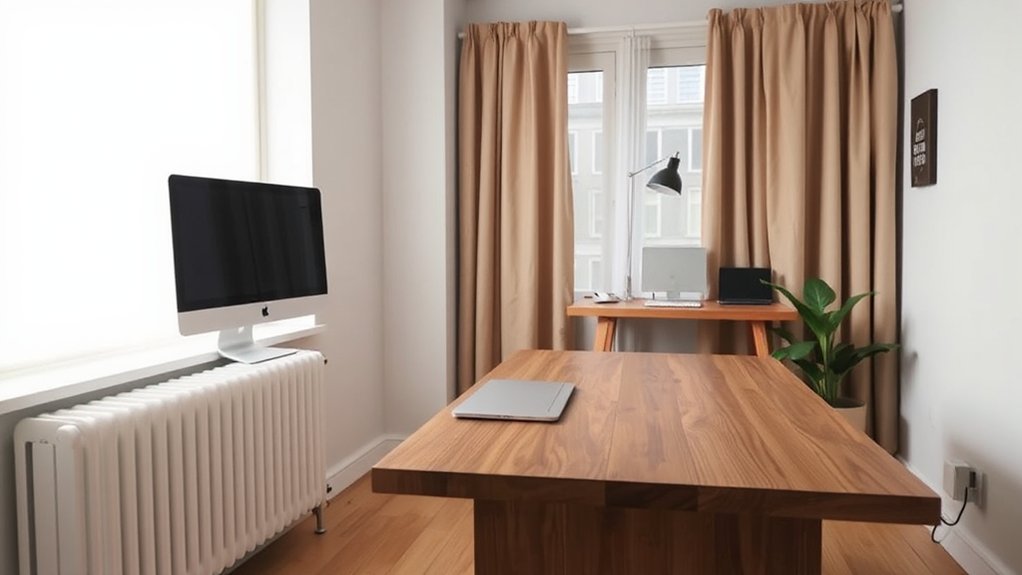
When you’re deep in work, focus isn’t a luxury—it’s the backbone of productivity. You access results when mental clarity leads your choices and cognitive focus stays anchored on priority tasks. Distractions derail momentum, so you design spaces that reinforce intentional thinking, not impulse browsing.
A disciplined setup minimizes context switching: a single-purpose keyboard, a quiet zone, and borders that cue deep work. You measure impact by outcomes, not hours logged, so you retain visual order, tactile cues, and predictable routines.
Clear goals, minimal clutter, and deliberate material choices sharpen attention and reduce fatigue. You’ll notice faster decisions, steadier problem solving, and a sense of control that compounds over time.
Focus isn’t accidental; it’s engineered into your daily workflow.
Lighting Your Mind: Focused Lighting Setups for Deep Work
Brightness primes your focus, so you’ll want steady, high-contrast illumination that minimizes glare.
Set Task Lighting Zoning to keep your key work areas well-lit while reducing shadows and eye strain.
This approach keeps your workflow clear and centered, ready for deep work sessions.
Brightness for Focus
If you want deep work, start with light that supports sustained attention rather than glare or mood lighting. Brightness for focus means calibrated levels that reduce eye strain while enhancing clarity. Prefer daylight simulations that mimic natural sunlight during peak work hours, then blend in steady ambient illumination to maintain a calm, uniform field without hot spots.
Use layered lighting: a dimmable overhead, task-appropriate desk lamps, and indirect wall washes to avoid harsh shadows. Color temperature should hover around 3500–4200K for neutrality, not warmth or clinical starkness.
Avoid excessive brightness; aim for even luminance across the workspace. A well-balanced plan reduces fatigue, sharpens perception, and keeps you in a flow state longer. Subtly adjust as tasks demand precision or long periods of sustained attention.
Task Lighting Zoning
Use ambient illumination to reduce contrast without washing the scene, balancing brightness with mood. Separate luminaires ensure there’s a primary light for overhead clarity and secondary lamps for nuanced depth.
Dimmer controls, color temperature shifts, and directional fixtures keep glare away from screens while highlighting keyboards, papers, and whiteboards. Clear zoned lighting improves posture and rhythm, guiding your eye along the page and into your tasks.
Implement a modular setup so changes in work style remain effortless and future-proof.
Soundscapes That Sharpen Concentration
Use looped tracks or gentle white noise to create a stable sonic envelope that minimizes sudden spikes or drops, reducing cognitive load. Place speakers away from the desk edge and at ear level to envelop you without fatigue. Calibrate volume to a whisper-thin presence that nudges attention without commanding it.
Pair with a timer to maintain steady work intervals, then reassess weekly. This approach emphasizes minimal intrusion, maximal efficiency, and a design-forward, distraction-aware workplace.
Desk Layouts for Flow and Minimal Distraction
A flow-friendly desk layout guides your eye and movement toward productive tasks, reducing unnecessary shifts and wasted effort.
Create minimal-distraction work zones by clearly defining zones for thinking, writing, and tech setup, so you can pivot without breaking focus.
Together, these concepts push you to design spaces that support steady momentum and intentional work rhythms.
Flow-Friendly Desk Layout
To foster flow and minimize distraction, place your primary work zone within easy reach of what you use most—computer, keyboard, and monitor—while keeping peripherals off to the side.
- Align your main monitor at eye level for ergonomic comfort and reduce neck strain.
- Position keyboard and mouse within a natural arc, so your forearms stay neutral and movements stay quick.
- Shield cables and tiny peripherals behind a clean panel to maintain aesthetic harmony.
- Use a simple, uncluttered surface with selective accessories to keep visual noise to a minimum.
This layout favors a focused cadence, supporting steady output without ritualistic setup. It’s compact, purposeful, and visually calm, guiding your attention toward tasks rather than surroundings.
Minimal-Distraction Work Zones
When you design Minimal-Distraction Work Zones, the goal is to carve a clean, focused cockpit that channels attention to tasks. You prioritize a single, quiet plane—swept surfaces, hidden storage, and restrained hardware. Keep decorative accessories to a purposeful minimum: a single meaningful object or two, chosen for texture or tactility, not ornament.
Limit visual clutter with smart cable management and wall-mounted storage. Choose color psychology-driven palettes that reduce overstimulation: muted neutrals with a single accent hue that rallies concentration without competing for attention.
Desk layouts favor clear sightlines to your primary monitor and a balanced, ergonomic stance. Integrate sound-dampening panels or soft textiles to cushion ambient noise.
This approach sustains flow while minimizing distractions, empowering steady, precise work.
Materials and Textures That Clear Your Mind
Materials and textures shape how you feel in a space; choose tactile surfaces that promote calm and focus. You’ll notice how materials influence attention, mood, and decision clarity. Favor natural ergonomics, soft ends, and restrained contrasts to avoid cognitive noise. Lean into tactile surfaces that invite touch and reduce visual strain, so your brain stays on task.
- Natural fibers bring warmth and subtle acoustic benefits, keeping noise out of the foreground.
- Smooth yet soft surfaces minimize distraction while supporting long, focused sessions.
- Neutral palettes with restrained textures prevent visual fatigue and spark consistency.
- Textured woods and textiles create a tactile rhythm that anchors your workflow without shouting.
Rhythm and Routine: Plan Breaks and Deep-Work Blocks

Rhythm and routine shape how you work as much as your setup does. You design focus through deliberate timing, not willpower alone. Build timed work sessions that align with your natural energy peaks, then protect those blocks from interruptions.
Deep work becomes predictable when you treat it like a product brief: clear objective, methods, and measure of success. Pair each long session with short, scheduled breaks to reset attention without losing momentum.
Use a visible timer and a simple cadence—25 minutes on, 5 off, or 90 on, 15 off—so you train your brain to switch modes smoothly. Document results weekly to refine duration and intensity.
A disciplined rhythm reduces decision fatigue and keeps your environment uncluttered, supporting sustained, high-quality output.
Personalization That Keeps You On Task Without Clutter
Personalization should streamline your workflow, not complicate it. You tailor your space to reduce friction, not to showcase trends. Focus on purposeful touches—items that cue actions, not distract. Use personalized decor that reinforces tasks, while keeping clutter control at the core. A streamlined backdrop supports focus; every piece earns its keep.
- Align colors and textures with your tasks to minimize visual noise.
- Label zones clearly so you instinctively move to the right work area.
- Choose multifunctional gear that reduces desk clutter and enhances efficiency.
- Integrate subtle reminders that prompt routines without shouting for attention.
When personalization serves tasks, you preserve momentum. Clean lines, purposeful accents, and deliberate placement create a work-friendly atmosphere you can trust.
Frequently Asked Questions
How Can I Measure My Focus Improvements After Changes?
You can measure focus changes by tracking task completion time and interruptions for two weeks, then compare with baseline. Use ergonomic furniture, ambient lighting, and brief daily reflections to gauge perceived clarity, motivation, and reduced strain.
Which Small Daily Habit Boosts Concentration Fastest?
A spark in your day, you’ll boost concentration fastest by taking mindful breaks every 60–90 minutes. You’ll reset with gentle breathing, and you’ll keep ambient lighting steady to sustain focus and momentum throughout design-forward work.
Do Office Plants Actually Affect Productivity, or Is It Placebo?
Yes, office plants boost productivity beyond placebo. Plant psychology shows cognitive benefits, while environmental aesthetics reduce stress and improve mood; you’ll perform better when workspace greenery is thoughtfully integrated into design.
What Tech Tools Reliably Reduce Digital Distractions?
Yes, you can reliably reduce digital distractions with noise canceling headphones and focused apps; pair them with ergonomic accessories to sustain posture, control notifications, and maintain steady flow while you work.
How Often Should I Refresh My Workspace for Sustained Focus?
You should refresh your workspace every 4–6 weeks to sustain focus. Prioritize workspace ergonomics and lighting adjustments, adjusting seating, monitor height, and light warmth to keep you productive and comfortable throughout long sessions.
Conclusion
You design your days around focus, not chaos. Implement the cues above, and your home becomes a precision instrument for deep work. Keep lighting calibrated, soundscapes tuned, and furniture arranged for flow. Use clean materials that soothe, then lock in routines that honor breaks. When your space nudges you toward stillness, you’ll power through tasks faster than a rocket—without feeling tethered. Stay intentional, trim clutter, and watch your concentration sharpen like a razor.